
Saturday, September 14, 2013
Friday, September 13, 2013
Wednesday, September 11, 2013
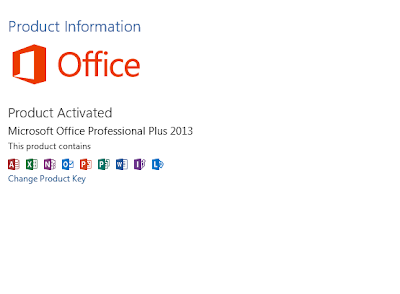
Activating Microsoft Office 2013
Does Product Key For MS Office 2013 Fails No Need To Worry Here Is The Activator..
At First Download & Install MS Office 2013 from MS Office 2013.(Click Skip At Rightmost corner on adfocus).
After The Trial Period Gets over then just do the following steps...


Then Just select MS Office


At First Download & Install MS Office 2013 from MS Office 2013.(Click Skip At Rightmost corner on adfocus).
After The Trial Period Gets over then just do the following steps...

Note:-(Deactivate Or Off Your Antivirus Program When You Need To Activate MSOffice)
Step 1:-Download The Crack 2013.rar And Extract It.
Step 2:- Then Download The KMS Activatioin.rar And Extract It.
Step 3:-Then goto system configuration by typing msconfig in run,and select Change User Account Settings And Click Launch..

And Then Drag The Bar To Never Notify.

Then Restart Your Computer...
Now Open The CRK2013 and click crk appThen Just select MS Office

And Select EZ Activator From Activation Tab

Finally Your Product Activates..


If You Have Any Trouble,Comment It.
Monday, September 9, 2013
Sunday, September 8, 2013
Need Cracks And Keys.
In Need Of Crack Or Serials Just Type "94fbr Software_name" (Without Quotes.) in Google Search.
It Will list all the files you need.

It Will list all the files you need.

Too Much Facebook ?
Addicted To Facebook ?
Want To Logout,but cant reach the logout button.Here Is The Way Just Add The
Extension To Chrome:-
Facebook Auto Logout.
Extension To Mozilla Firefox:-
Facebook Auto Logout.
Just Click The Extension
And You May See

Then Just Set The Timer And Click Start Timer.
 When The Timer Stops It Will Automatically Logout from The Facebook.
Want To Logout,but cant reach the logout button.Here Is The Way Just Add The
Extension To Chrome:-
Facebook Auto Logout.
Extension To Mozilla Firefox:-
Facebook Auto Logout.
Just Click The Extension
And You May See

Then Just Set The Timer And Click Start Timer.

Saturday, September 7, 2013
Method To Handle Shortcut Viruses.....
Infected To Shortcut Virus,No Need To Worry Here Is A Way To Remove It Without Any 3rd Party Software....
Step 1:-Go To Command Prompt.(win+r type:-cmd).
Step 2:-Then Type attrib -h -r -s /s /d [drive letter]:\*.*
Example:-attrib -h -r -s /s /d f:\*.* Where F Is the drive letter For Pendrive.
Step 3:-Then delete the unwanted files especially autorun.inf and the other shortcut files.
Step 4:-If The Problem Was Not Resolved Then Just Format It Using COMMAND PROMPT.
Format Using Command Prompt:-format [drive letter]: /FS:FAT32 /Q /V:pendrive_name.
/Q-Quick format
/V-Specifies the New Volume Label.
/FS:File Specifying the type of File System Type.
Step 1:-Go To Command Prompt.(win+r type:-cmd).
Step 2:-Then Type attrib -h -r -s /s /d [drive letter]:\*.*
Example:-attrib -h -r -s /s /d f:\*.* Where F Is the drive letter For Pendrive.
Step 3:-Then delete the unwanted files especially autorun.inf and the other shortcut files.
Step 4:-If The Problem Was Not Resolved Then Just Format It Using COMMAND PROMPT.
Format Using Command Prompt:-format [drive letter]: /FS:FAT32 /Q /V:pendrive_name.
/Q-Quick format
/V-Specifies the New Volume Label.
/FS:File Specifying the type of File System Type.