Aarambam All Songs Click Here

Thursday, September 19, 2013
Wednesday, September 18, 2013
Sunday, September 15, 2013
Avoid Auto Reboot After Installing Updates
Frustrated On Automatic Reboot,Just Follow These Steps:-
Go To Run Type regedit
Then Move To HKEY_LOCAL_MACHINE\Software\policies\microsoft\windows
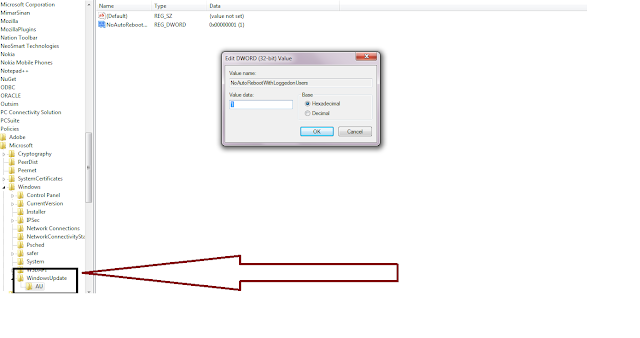
Then Create A New Key WindowsUpdate.And Withinn It Create Another New key AU
And Then Create A New 32 bit D_WORD Value And Name it As NoAutoRebootOnLoggedOnUsers on HKEY_LCALMACHINE\Software\Policies\Microsoft\Windows\WindowsUpdate\AU.
And Enter The Value As 1.
Thats All..
Go To Run Type regedit
Then Move To HKEY_LOCAL_MACHINE\Software\policies\microsoft\windows
Then Create A New Key WindowsUpdate.And Withinn It Create Another New key AU
And Then Create A New 32 bit D_WORD Value And Name it As NoAutoRebootOnLoggedOnUsers on HKEY_LCALMACHINE\Software\Policies\Microsoft\Windows\WindowsUpdate\AU.
And Enter The Value As 1.
Thats All..

Saturday, September 14, 2013
Friday, September 13, 2013
Wednesday, September 11, 2013
Activating Microsoft Office 2013
Does Product Key For MS Office 2013 Fails No Need To Worry Here Is The Activator..
At First Download & Install MS Office 2013 from MS Office 2013.(Click Skip At Rightmost corner on adfocus).
After The Trial Period Gets over then just do the following steps...


Then Just select MS Office


At First Download & Install MS Office 2013 from MS Office 2013.(Click Skip At Rightmost corner on adfocus).
After The Trial Period Gets over then just do the following steps...

Note:-(Deactivate Or Off Your Antivirus Program When You Need To Activate MSOffice)
Step 1:-Download The Crack 2013.rar And Extract It.
Step 2:- Then Download The KMS Activatioin.rar And Extract It.
Step 3:-Then goto system configuration by typing msconfig in run,and select Change User Account Settings And Click Launch..

And Then Drag The Bar To Never Notify.

Then Restart Your Computer...
Now Open The CRK2013 and click crk appThen Just select MS Office

And Select EZ Activator From Activation Tab

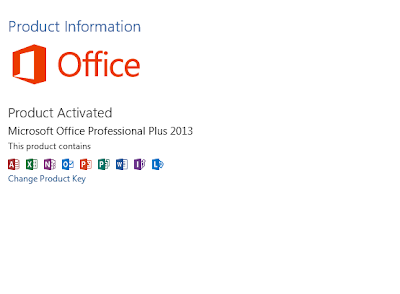
Finally Your Product Activates..


If You Have Any Trouble,Comment It.